Live Cycle Monitoring
Watch chamber pressure, temperature (°C), and relative humidity in real time while a sterilization cycle runs.
For Ultramedi Systems · Ultraster EO
Real-time monitoring, CSV logging, and PDF reporting for hospital ethylene oxide (EtO) sterilizer cycles.
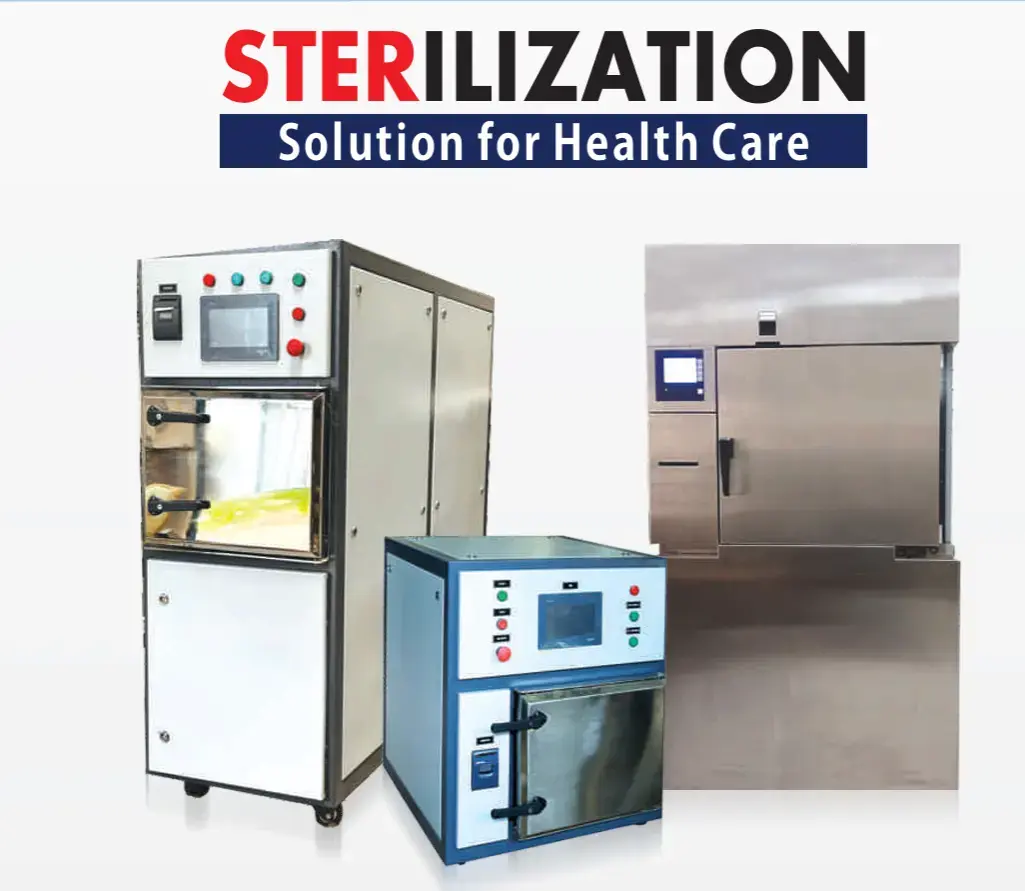 Hardware
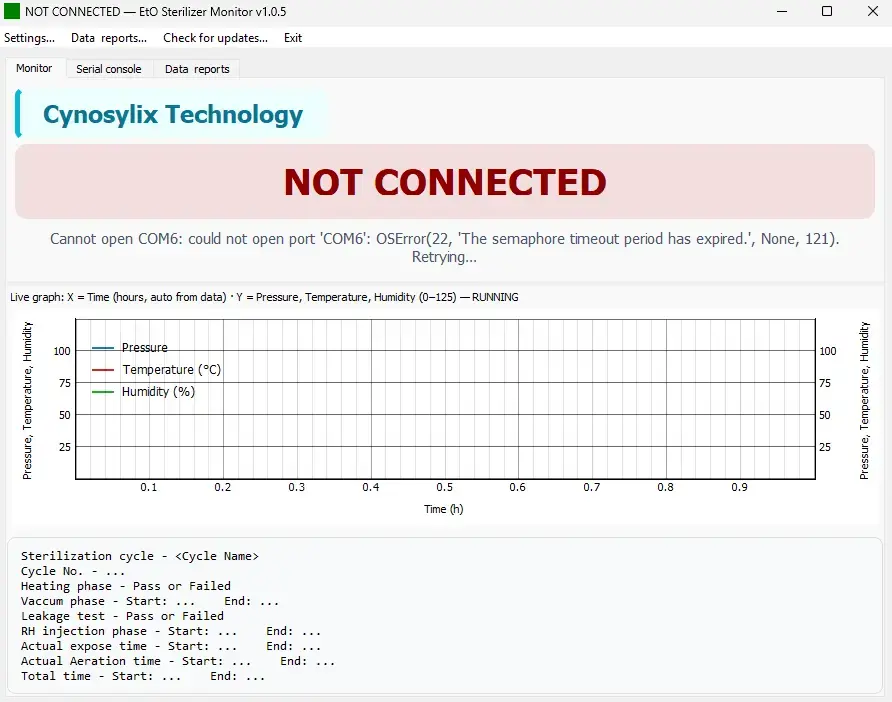 Software
EtO Sterilizer Monitor is a Windows desktop application for hospitals and clinical facilities operating ethylene oxide sterilization equipment. It connects to compatible sterilizer controllers via USB serial (COM port) and provides continuous visibility into active cycles, automatic data logging, and professional PDF reports — without controlling the sterilizer itself.
PDF reports are generated with Ultraster EO branding and reference ultramedisystems.com. Software is developed and supported by Cynosylix Technology.
Watch chamber pressure, temperature (°C), and relative humidity in real time while a sterilization cycle runs.
Every cycle is recorded to structured CSV files with timestamps, sensor readings, and cycle messages for audit and archival.
When a cycle completes, a formatted PDF report is generated with charts, phase summaries, and Ultraster EO branding.
View raw serial communication for troubleshooting and verification of controller handshake and cycle events.
Per-user Windows install, optional start with Windows, system tray minimization, and single-instance protection for the COM port.
No internet required for daily use. Cycle logs and reports are stored locally on the sterilizer PC.
Connect the sterilizer USB/RS485 adapter to the PC. Note the COM port number in Windows Device Manager.
Run ETO_Sterilizer_Setup.exe and complete the installation. Launch EtO Sterilizer Monitor from the Start menu.
Open Settings, select the correct COM port, and confirm baud rate (default 9600). Refresh the port list if needed.
Use the Monitor tab to view live pressure, temperature, and humidity while a cycle is running.
After cycle completion, open saved CSV logs and PDF reports from the Data & Reports tab or the folders below.
Connection status, live plots, and cycle summary during active runs.
Raw serial traffic log for diagnostics and support.
Browse and open saved CSV cycle logs and generated PDF reports.
COM port, baud rate, data folders, startup options, and update checks.
Connection states: NOT CONNECTED · CONNECTED · RUNNING
%LOCALAPPDATA%\ETO_Sterilizer\cycles%LOCALAPPDATA%\ETO_Sterilizer\graphs%LocalAppData%\Programs\ETO_Sterilizer_Monitor
Install EtO Sterilizer Monitor on your sterilizer PC. For installation help, COM port setup, or reporting questions, contact Cynosylix Technology.
Marottichodu Junction, Edappally, Kochi, Ernakulam, Kerala 682024, India
Phone: +91 8891909301
Email: cynosylixtechnology@gmail.com